You collect 300 responses and only then notice a construct in your model has no questions. Cronbach’s alpha collapses because of one double-barreled item. Respondents abandon the survey at question 40. All of these are questionnaire design errors, and no analysis can repair them once the data is in. This guide walks through six steps from research model to a sound survey questionnaire, along with the most common mistakes.
1What a good survey questionnaire contains
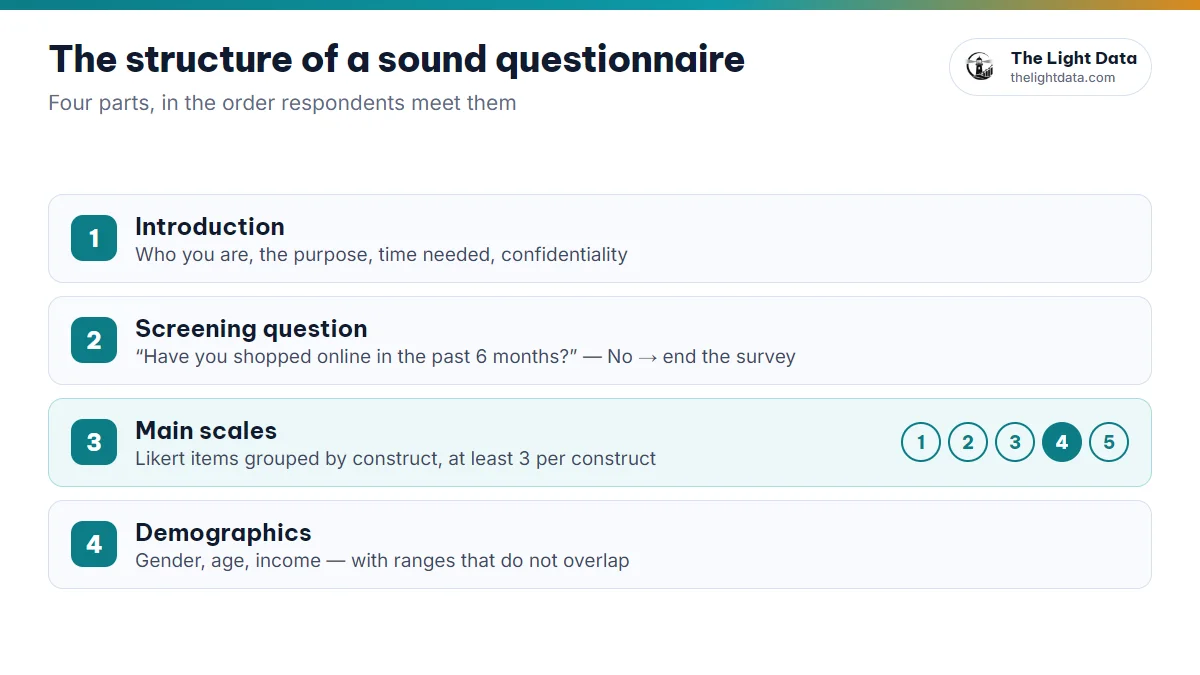
① Introduction
Who you are, why you are asking, how long it takes, and a promise of confidentiality and research-only use.
② Screening question
Confirms the right respondents (“Have you shopped online in the past 6 months?”). A “no” ends the survey.
③ Main scales
Likert items measuring each variable in your model, grouped by construct, with brief instructions.
④ Demographics
Gender, age, income and so on. Placing them last reduces drop-off, though placing them first is also accepted.
2Six steps from research model to questionnaire
- List the concepts in your model, each latent variable with a clear working definition.
- Adapt validated scales from earlier research, and keep a table of variable, original item and source.
- Translate and adjust if needed: translate, then have someone back-translate to check the meaning, and tailor the wording to your context.
- Choose the scale and codes: one Likert format for all items in a scale, and assign variable codes now (SAT1, SAT2…).
- Add screening and attention checks, such as “For this item, please select ‘Agree’”, which help you remove careless responses.
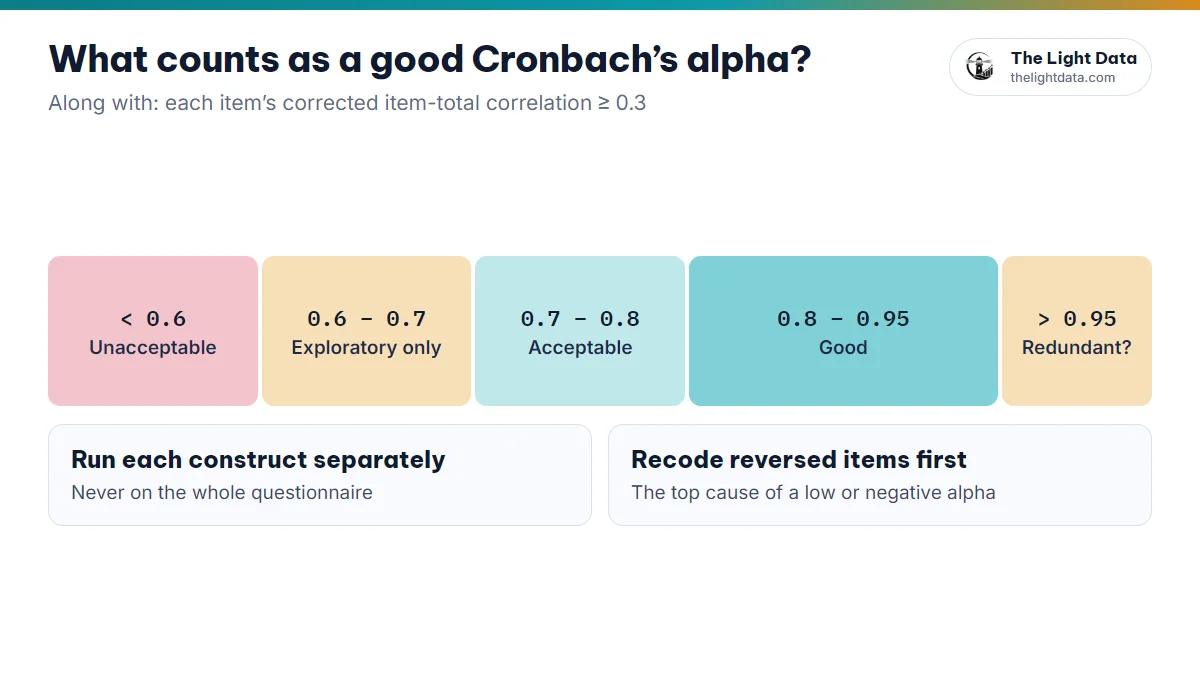
- Run a pilot with about 20–30 people from your target group: fix confusing items, time the survey and run a first Cronbach’s alpha.
At least 3 observed items per construct, usually 3 to 6. One spare is your insurance for when an item has to go after reliability or factor analysis.
3How to write Likert items that hold up
According to Dillman, Smyth & Christian (2014), a good question is one that everyone understands in the same way. A quick comparison:
| Avoid | Prefer |
|---|---|
| “The price is fair and the staff are friendly.” (double-barreled) | Two items: “The price is fair.” / “The staff are friendly.” |
| “Don’t you agree the service is excellent?” (leading) | “The quality of service meets my expectations.” |
| “I am not dissatisfied.” (double negative) | “I am satisfied with the service.” |
| “The app has optimal UX.” (jargon) | “The app is easy to use.” |
| “I always shop online.” (absolute) | “I often shop online.” |
- Write in the first person, as statements (“I…”), so respondents rate their agreement.
- Keep to one idea per item, under about 20 words, in words your respondents use.
- Use reversed items only if the original scale has them, and remember to reverse-code them before analysis.
45-point or 7-point Likert scale?
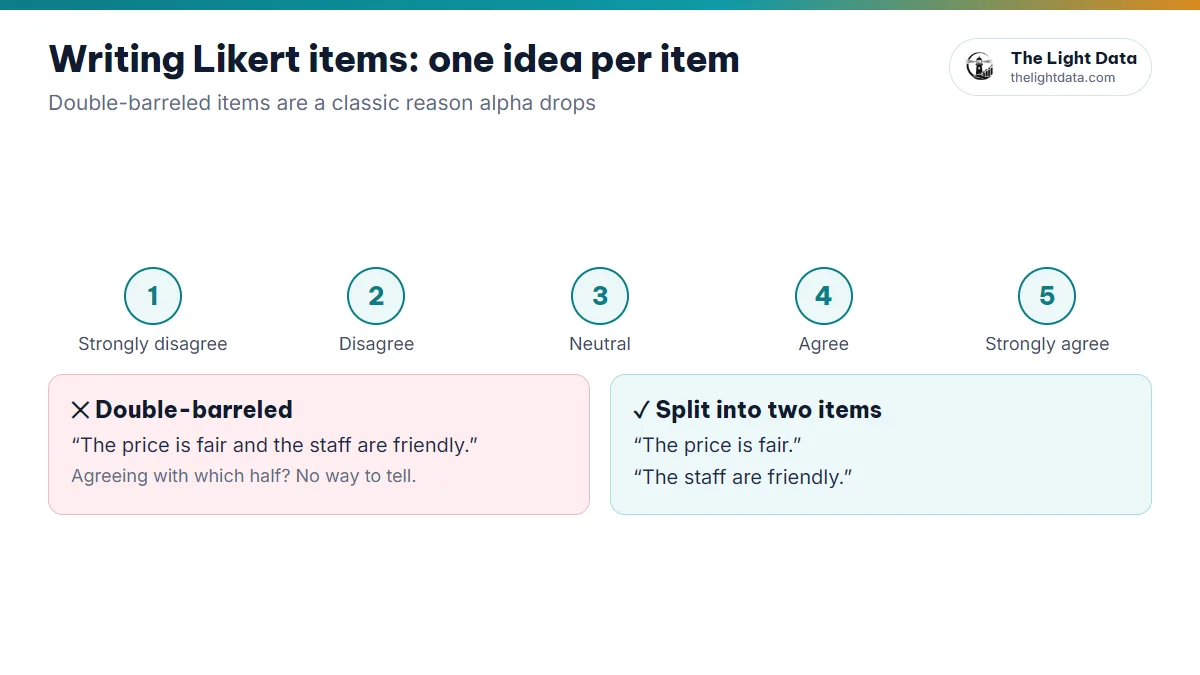
| Code | 5-point Likert (most common) |
|---|---|
| 1 | Strongly disagree |
| 2 | Disagree |
| 3 | Neutral |
| 4 | Agree |
| 5 | Strongly agree |
- 5 points: easy to answer and easy to compare with earlier studies. The safe choice for most theses.
- 7 points: finer distinctions, suits respondents used to surveys, and is the right choice if the original scale uses it.
- Never mix 5 and 7 points within one scale.
5Putting your questionnaire on Google Forms properly
- Use a linear scale or a multiple-choice grid for Likert items, with both ends labelled.
- Mark scale items as required to avoid missing data.
- Split sections by construct, and use “Go to section based on answer” for the screening question.
- Limit free-text “Other…” options, which are painful to code later.
- Keep question text short: it becomes the column name when you export.
Make a copy of the form and fill it in to check the section logic, required items and the exported file. For long, multi-section forms, the form filling tool can run test submissions against that copy. Test data is only for checking the form: delete it before launch and never use it as research data.
610 common questionnaire design mistakes
| Mistake | What it does to your analysis |
|---|---|
| No items for a variable in the model | The related hypothesis cannot be tested |
| Only 1–2 items per construct | Unstable alpha; CFA/SEM struggles to identify |
| Double-barreled or double-negative items | Low item-total correlation, lower alpha |
| Near-identical items across two constructs | Cross-loadings in EFA, high HTMT |
| Reversed items not flagged | Forgotten recoding → low or negative alpha |
| Mixing 5-point and 7-point scales | Construct means cannot be combined |
| No screening question | Wrong respondents, biased results |
| Too long (over 15–20 minutes) | Drop-off and straight-lining near the end |
| Overlapping income or age ranges (“5–10”, “10–15”) | One person fits two groups |
| Skipping the pilot | Errors found when it is too late |
7Save time on the first draft
Turning a model into a structured list of questions is usually the slowest part. The Light Data’s AI questionnaire builder takes the model you draw (or a saved .json file), drafts Part I, general information, and Part II, a 5-point Likert scale for each construct, and exports a Word file for you to keep editing.
Treat an AI-drafted questionnaire as a first draft: check it against the original scales, adjust the wording for your respondents and verify every citation yourself before using it.
- Every variable in the model has at least 3 items from a scale with a clear source.
- Items are short, single-idea and not leading; reversed items are flagged.
- There is a screening question and an attention check; it takes under 15 minutes.
- You have run a pilot and checked the file Google Forms exports.