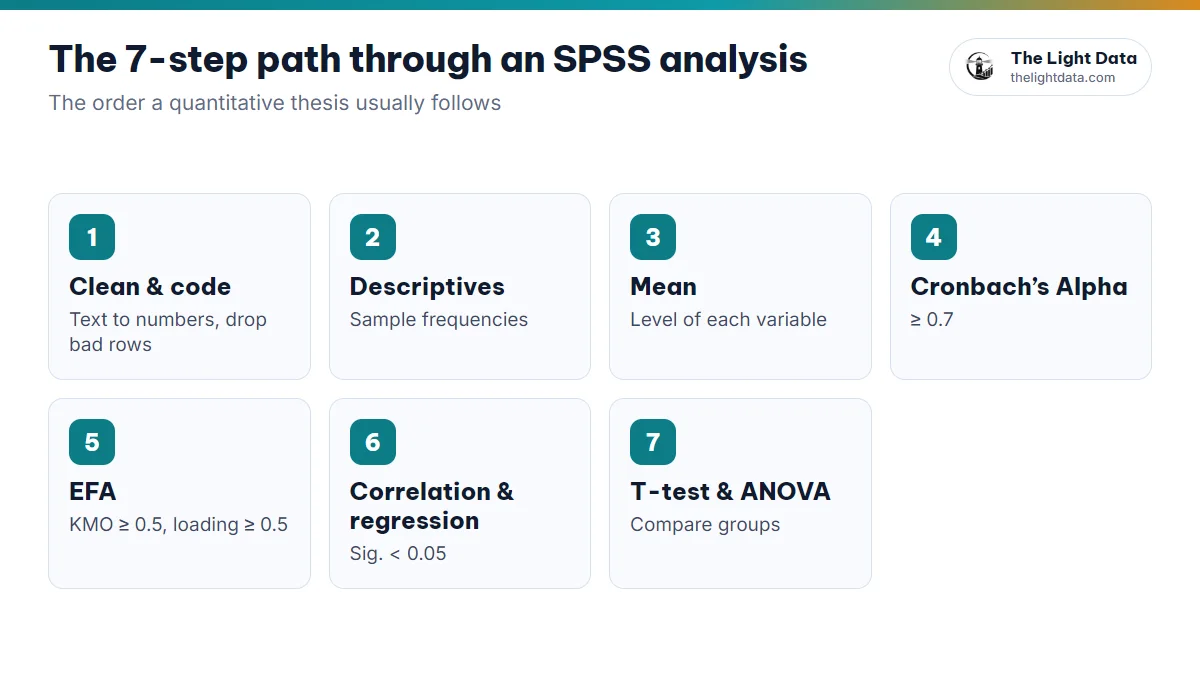
A negative Cronbach’s alpha. Frequency tables full of 1s, 2s and 3s that nobody can read. A third re-run failing because an income column mixes text and numbers. Most baffling SPSS errors start in one place: coding and declaring your input data. This guide covers how to code each variable type, name variables the way SPSS expects, label them and declare missing values, so you get it right once and never have to re-run.
1Why you have to code your data before analysis
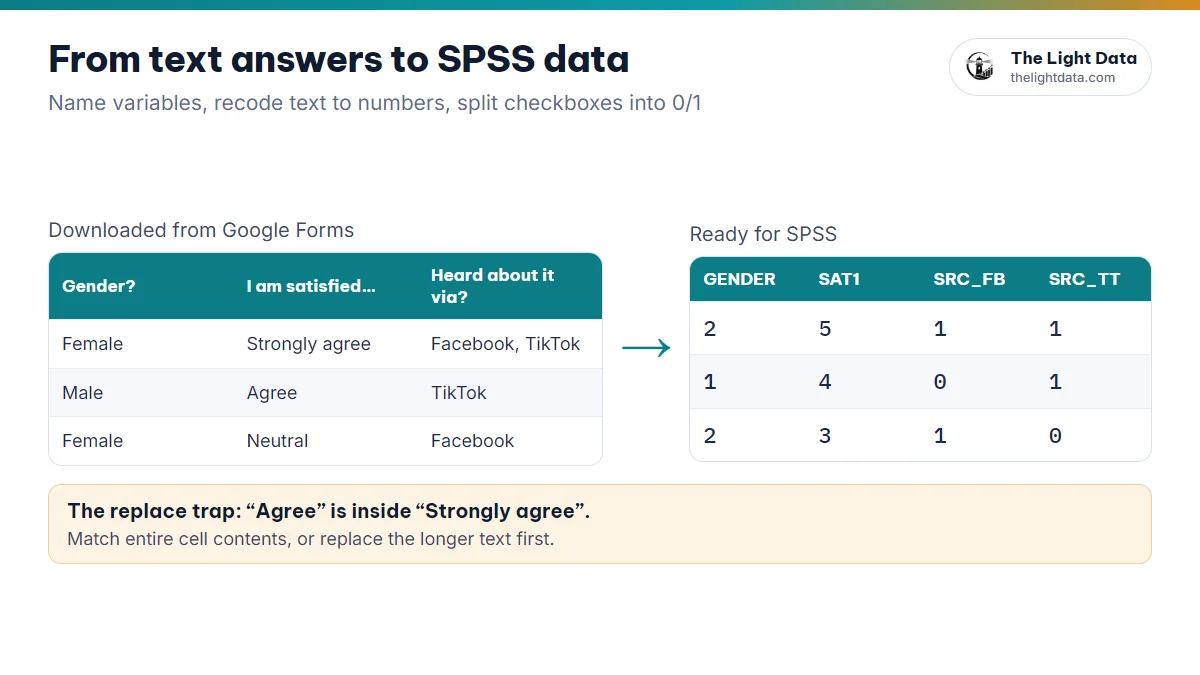
According to Pallant (2020), preparing and cleaning your data is the first and most important step: the quality of your results depends directly on the quality of your input. Survey data usually arrives as text (“Male”, “Agree”), with blanks or invalid answers, but SPSS can only calculate with numbers of the right type.
- SPSS recognizes each variable type and can run means, alpha, EFA and regression
- Fewer entry errors, and odd values, missing data and outliers are easy to spot
- Readable results thanks to labels, and easy to reproduce when your supervisor checks
2How to code survey data by variable type
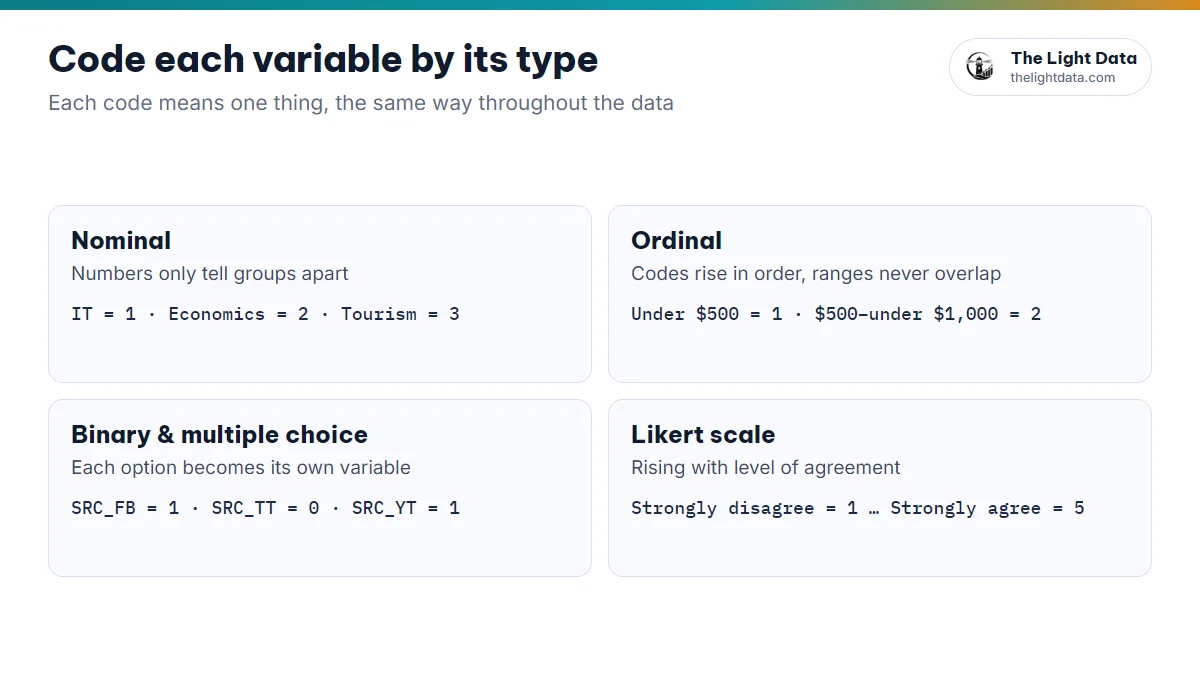
According to Field (2018), coding turns answers into numeric values. Each value carries one meaning, used the same way throughout the data.
Nominal variables
No order; the numbers only tell groups apart and say nothing about bigger or smaller.
| Department | Code |
|---|---|
| Information technology | 1 |
| Economics | 2 |
| Languages | 3 |
| Tourism | 4 |
Ordinal variables
There is an order, though the gaps between levels need not be equal. Codes rise in order, and ranges must not overlap.
| Monthly income | Code |
|---|---|
| Under $500 | 1 |
| $500 to under $1,000 | 2 |
| $1,000 to under $1,500 | 3 |
| $1,500 to under $2,000 | 4 |
| $2,000 or more | 5 |
Binary variables and multiple-response questions
Code binary variables 0/1 or 1/2 (ever bought online: No = 0, Yes = 1). For multiple-response questions, split each option into its own variable (1 = selected, 0 = not selected).
| ID | SRC_FB | SRC_TT | SRC_YT |
|---|---|---|---|
| 1 | 1 | 0 | 1 |
| 2 | 0 | 1 | 1 |
Likert scales
All items in a scale share one convention, rising with agreement. Cronbach’s alpha, EFA, CFA and SmartPLS all depend on this.
| Value | Meaning |
|---|---|
| 1 | Strongly disagree |
| 2 | Disagree |
| 3 | Neutral |
| 4 | Agree |
| 5 | Strongly agree |
3Reverse-coding negatively worded items
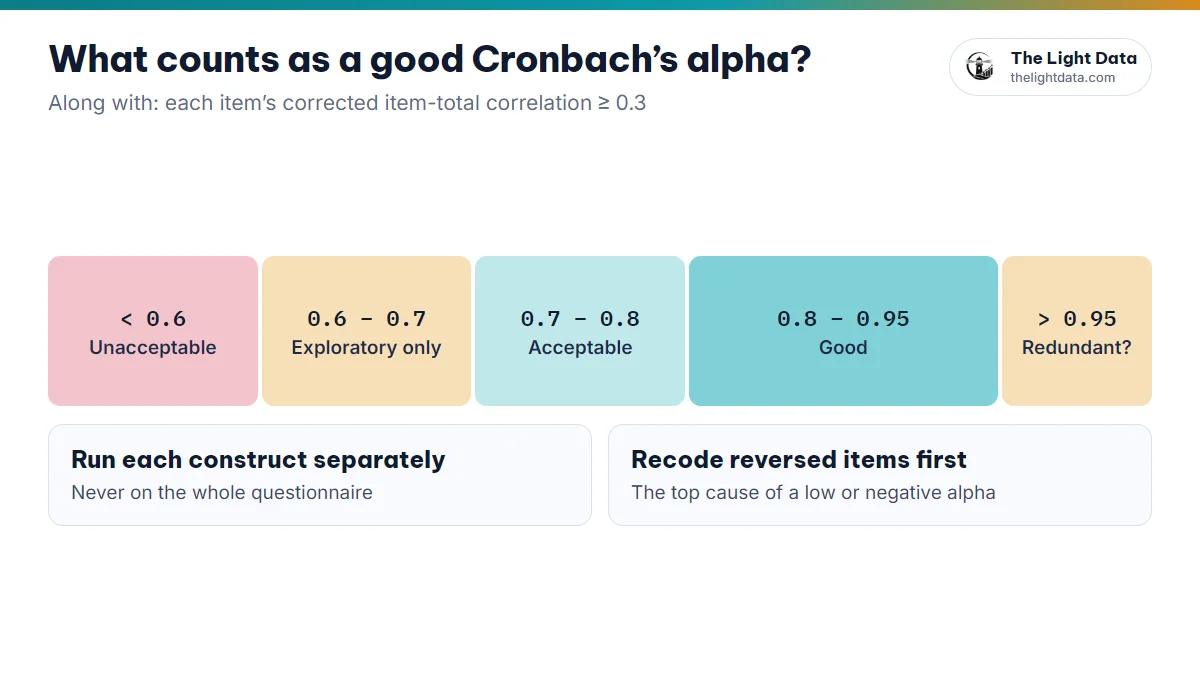
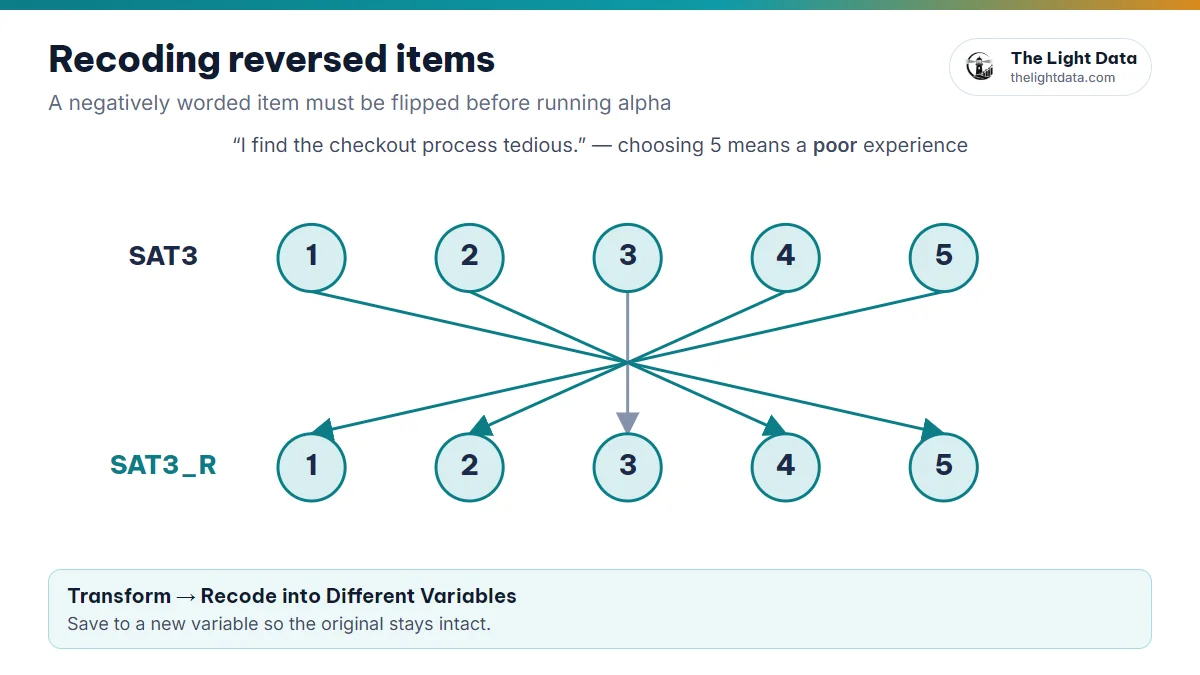
A reversed item such as “I find the checkout process tedious” measures the same concept in the opposite direction. Left as is, it correlates negatively with the others, and alpha drops sharply or even goes negative.
- Transform→Recode into Different Variables→Old and New Values
- Map 1→5, 2→4, 3→3, 4→2, 5→1.
- Give the new variable an _R suffix (say, SAT3_R) so the original stays intact, and use the new one in your analysis.
Hand-editing cells is slow and easy to get wrong. A recode can also be saved with Paste as syntax, so you can re-run it or show exactly what you did.
4SPSS variable naming rules
According to IBM (2023), variable names must follow these syntax rules:
- Start with a letter; no spaces
- No special characters such as % # & / ? ! *
- No duplicates, and no SPSS keywords (AND, OR, NOT, ALL, BY…)
- Short, with consistent English abbreviations
| Avoid | Prefer |
|---|---|
| Question 1 | Q1 |
| Your age | AGE |
| Gender of respondent | GENDER |
| Level of satisfaction | SAT |
| Purchase intention | PI |
Name by construct
The construct code + number pattern makes it quick to pick variables for Cronbach’s alpha, EFA, CFA or SmartPLS:
| Construct | Variables |
|---|---|
| Functional Value | FV1, FV2, FV3, FV4 |
| Social Value | SV1, SV2, SV3 |
| Physical Risk | PR1, PR2, PR3 |
| Purchase Intention | PI1, PI2, PI3 |
5Variable labels and value labels
A Variable Label gives the full question; Value Labels say what each code means, so your output shows “Male/Female” instead of “1/2”.
Variable Label
| Name | Label |
|---|---|
| FV1 | This product provides good value for money |
| PI1 | I intend to purchase this product soon |
Value Labels
| Value | Label |
|---|---|
| 1 / 2 | GENDER: Male / Female |
| 1 … 5 | Likert: Strongly disagree … Strongly agree |
6Declaring Missing and Measure in Variable View
Missing
Leave the cell empty (system-missing), or use a code that cannot be a real answer (such as 99) and declare it in the Missing column. Otherwise SPSS treats 99 as a real answer and your means are pulled off.
Measure
- Nominal: gender, department, occupation
- Ordinal: income or age in bands
- Scale: quantitative values; Likert items when computing means or running regression
7Building a codebook, and coding automatically
A codebook records each variable name, its question, the coding table and how missing values are handled. It helps you read results correctly, lets your supervisor check your work quickly, and often goes in the thesis appendix.
If your data comes from Google Forms, The Light Data’s SPSS encoding tool does these steps for you: AI reads the form, proposes valid variable names and a coding table for each question, splits checkbox questions into 0/1 variables, and exports a coded Excel file with a codebook sheet that opens directly in SPSS. You review the whole plan before exporting.
- Code by variable type; Likert rises with agreement; checkboxes split into 0/1 variables.
- Reverse-code reversed items into a new variable (_R) before running alpha.
- Short, valid names by construct code; complete Label, Values, Missing and Measure.
- Keep a codebook. With clean data, your alpha, EFA, regression and SEM can be trusted.